
- Favorites Review and save your favorite vehicles.
- Sign In Find used cars for sale near you at Enterprise Car Sales. Shop online or visit a dealership, value your trade, apply for financing, & schedule a test drive.
- My Account Find your account information, including favorite vehicles, notification and communication preferences for Enterprise Car Sales.
- Help & Resources Have questions about buying a used car? Browse Enterprise Car Sales' FAQs to find answers about the used car buying process, financing, car delivery, and more.
- Our Locations Find Enterprise Car Sales locations near you by entering your ZIP code, selecting your state, or using your location.
Which GPS navigation system is right for you?
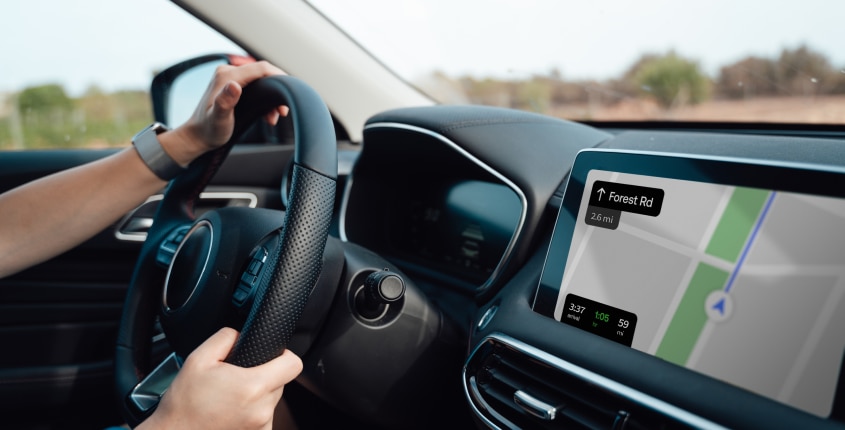
With smart phones, we’re all walking around with all the maps we’ll ever need, and getting directions takes just a few taps. So are built-in GPS navigation systems still worth it? Your driving habits, budget and personal preferences can help you decide.
Key Takeaways
- Built-in navigation systems provide convenience and integration with your car's dashboard but can quickly become out-of-date.
- Smartphone-based navigation apps can provide real-time traffic information and are generally the most up-to-date but rely on a stable internet connection.
- Portable navigation systems offer added flexibility and offline operation but may require manual updates and risk being stolen if left behind in the vehicle.
- Aftermarket navigation systems typically combine other tech and connectivity features and are fully integrated with the vehicle but can be costly and require professional installation.
Choosing the right navigation system
Whether you use them every day or just when you’re headed somewhere new, we all depend on maps to get us where we need to go. But with smartphones offering a portable and convenient alternative to in-vehicle GPS, does your next car really need built-in navigation?
Ultimately, it's a question of cost, reliability and how you plan to use it. Once reserved for luxury cars, GPS navigation systems are now available for most vehicles, ranging from economy cars to the most expensive brands. But, for those cars that don’t come with an in-car GPS system, there are other options, including:
- Smartphone navigation apps
- Portable navigation systems
- Aftermarket in-dash navigation systems
Below, we’ll take a look at each option to help you choose the navigation system that best suits your needs.
In-car navigation systems
Built into the car as standard or as an optional extra, these systems are designed to integrate seamlessly with your vehicle. They’re often connected to other features in the vehicle, such as voice control, steering-wheel inputs and on-screen buttons, and tend to be fully covered by the manufacturer’s warranty. That means that if anything goes wrong while the vehicle is still in the warranty period, you can take it to your factory dealership to be repaired for free.
Pros of built-in navigation
- Reliability in dead zones: Because it relies on a satellite signal, you should be covered, even when traveling to more remote locations.
- Seamless integration: Factory systems are deeply integrated with the car's electronics. Directions can appear on a Heads-Up Display (HUD) projected onto the windshield or within the digital instrument cluster, minimizing the need to look away from the road.
- No need to drain your battery: Because the system doesn't rely on your phone’s battery, you won’t have to worry about keeping it charged during those long road trips.
- Potential resale value: In some cases, a high-end tech package that includes factory-installed navigation can be an attractive feature for future buyers, potentially boosting your car's resale value.
- Low risk for theft: Since the system is fully built-in to the vehicle, it’s difficult to steal.
Cons of built-in navigation
- Upfront and ongoing costs, if any, can be significant: While it’s more and more common to see these systems included in a vehicle’s standard features, in situations where navigation is bundled with other technology as a part of a premium add-on package, the total expense can be as much as $4,000. In some cases, you may also need to purchase a subscription to access all of its functions.
- Infrequent updates: With construction happening all over the country, map information can quickly become outdated. For vehicles that are unable to receive new information virtually, updating can be a hassle (especially if it requires a trip to a factory dealership) and sometimes costly.
- Potentially clunky user interface (UI): While improving, many factory systems feel less intuitive and slower to respond than the sleek, fast apps on your smartphone. Voice commands tend to be less forgiving, and searching for destinations can be a more complicated process.
Best for: Seamless vehicle integration.
Smartphone navigation apps
If you have a smartphone, as most of us do, you have easy access to high-quality, reliable map applications. From Google Maps to Waze and Tom Tom Go, there are many options to choose from. While these aren’t automatically integrated with your car, features like Apple CarPlay and Android Auto project key phone apps onto your car’s infotainment screen, letting you use smartphone navigation on your built-in display.
Pros of smartphone navigation
- No cost: If you don’t count the cost of your mobile plan, there are several navigation apps that come free of charge.
- Superior real-time data: With apps like Waze and Google Maps, you’ll know when to expect delays. Using crowd-sourced data, these services provide near-instant information on traffic, accidents, road hazards, construction and more, and can reroute on the fly to save you time.
- You already know how to use it: Since you’re already familiar with your phone, there's little-to-no learning curve when using smartphone navigation apps to guide your travels. Searching for destinations, saving locations and adjusting settings is typically easy and intuitive.
- Free, automatic updates: The apps and their maps are updated constantly and automatically at no extra charge. This means you can always have the latest available information on roads, points of interest and more with no extra effort.
- Convenient access in and out of the car: Since you always have your phone with you, you can look up an address while sitting on your couch and it will be instantly available in your recent searches when you get in the car.
Cons of smartphone navigation
- Data and signal dependency: Your phone’s navigation will stop working if you lose your cellular signal. While some apps allow you to download maps for offline use, you lose all real-time traffic and hazard information until your signal returns. And, since you're typically relying on these apps when on the go and away from Wi-Fi, your mobile data plan is also impacted.
- Battery drain: Running GPS and streaming data can be a major drain on your phone's battery. While you can always plug it in, it means you'll need to make sure you have a compatible cable or charging block on hand unless your vehicle is equipped with wireless charging. And, if your battery dies and you don’t have a way to charge it, you lose access to your navigation completely.
- Privacy concerns: For these apps to work, you’ll need to share your location and driving data with the tech companies behind them.
- Theft risk: If left mounted in your car and in plain view, the risk of theft can be high. But, since most of us tend to carry our phones everywhere, it’s less likely that you’d leave it behind.
- Driver distraction: While even in-dash navigation systems may require you to glance away from the road to check your route, if you don’t have your phone in easy view in a mount on the dash, your attention will be even further divided.
- State laws: Distracted driving laws, where applicable, often forbid handheld use of devices while operating a vehicle. Though some areas may have exceptions for using navigation features, others are more strict, meaning any hands-on use of your phone could be prohibited.
Best for: Real-time updates and traffic information.
Portable navigation systems
These devices are a simple and practical alternative to in-car systems and can be moved from car to car as needed. They normally come with a limited warranty (tends to be one year) and include lifetime updates.
Pros of portable navigation systems
- Offline functionality: Portable GPS devices come with preloaded maps and do not rely on mobile data, making them ideal for remote locations or areas with no signal.
- Battery independence: These devices run on their own power source or connect directly to the car, so you won’t have to rely on your phone's battery.
- Privacy: Since these devices don’t typically require you to share your real-time location data, privacy concerns may be reduced.
- Map updates: Most portable navigation systems include lifetime updates, typically available every six months or so to account for new and changed road layouts. They typically are downloadable through manufacturer-specific desktop software.
Cons of portable navigation systems
- Upfront cost: Portable navigation systems often come with a significant upfront cost, with prices ranging from $120 to $400 for a fully featured model with Bluetooth, live traffic and built-in dash cam.
- Lack of real-time features: Unlike smartphone apps, these devices typically do not offer live traffic updates or hazard alerts without requiring added connectivity.
- Theft risk: They’re usually held in a mount on the dashboard which makes them easy to remove and may attract thieves if left in place while the vehicle is unattended.
- Power and update limitations: These devices can be power hungry and will likely need to be plugged into a 12V socket for long journeys. The manual nature of updates that require connection to a desktop may be frustrating for some.
Best for: Useful portability and moving between cars.
Aftermarket in-dash navigation systems
Aftermarket solutions offer great integration, larger enhanced screens and some vehicle system links (typically pulling in fuel and speed information) for a premium experience. They also often have additional integrated entertainment features such as DVD video playback, Apple CarPlay and Android Auto functionality.
Pros of aftermarket in-dash navigation systems:
- Enhanced integration: When professionally installed, these systems offer seamless integration with the vehicle, linking to systems such as fuel monitoring, speed and other diagnostics.
- Larger screens: Aftermarket systems typically feature enhanced displays for better visibility and ease of use.
- Advanced entertainment features: Additional entertainment options are often included, such as DVD video playback, Apple CarPlay and Android Auto.
- Smartphone compatibility: These systems usually provide smartphone integration for apps, voice control and hands-free functionality, improving convenience and safety.
- Data usage: While these systems use satellite signals for basic positioning and route guidance, they may also use cellular networks for real-time traffic data. Some have a built-in SIM while others will connect to your phone’s hotspot.
- Easy updates: Depending on the system, updates may come via downloads from dedicated computer software or via the appropriate app store. Units that use SD cards will need updating via a download from your desktop, while some newer systems may allow for Wi-Fi updates directly.
Cons of aftermarket in-dash navigation systems:
- Higher cost: These systems are usually more expensive than portable navigation devices, with prices ranging from $250 to over $1000.
- Complex installation: Because they are integrated into the dash, aftermarket systems require professional installation which can add $250 or more to the total cost.
- Maintenance and updates: Software updates and repairs can be more complex and may require a subscription or other additional fees, depending on the manufacturer.
- Theft risk: Aftermarket systems can sometimes be more tempting to thieves because of their standardized sizing and compatibility with a wide range of vehicles
- Integration limitations: While you gain new in-car features, you might lose steering-wheel based functions like volume and voice control (although you can often buy adaptors for around $40 which are designed to connect to the car’s original wiring).
Best for: Additional entertainment features and a choice of GPS applications.
Which GPS navigation system should you choose?
Much of the decision to purchase a car with a navigation system, install one after purchase or just use an app on your phone comes down to where you live, your everyday driving habits, and where and how often you travel, though budget and personal preferences play a role too.
For city drivers looking to find their way through rush hour traffic, the real-time data available on a smartphone is a necessity. Their ability to reroute to avoid sudden changes is traffic and road conditions is something a factory system just can’t handle.
On the other hand, if you live in a rural area or frequently take road trips through places with spotty cell coverage like the national parks of Utah or the back roads of West Virginia, the satellite-based reliability of a built-in system can provide much greater peace of mind.
If you’re a frequent cross-border traveler wary of expensive data roaming charges when using your phone outside the country, a factory system has its appeal.
Key questions to consider when choosing the best navigation system for your needs
- How you’ll use it: Do you rely on your navigation to help you choose the best route to get to work every morning in rush hour traffic? Or will you primarily use it to guide you on road trips that may pass through less-populated areas and cell-service dead zones?
- How much you’re willing to spend: Are you willing to pay for the guaranteed coverage of a built-in system if the vehicle is already equipped with Apple CarPlay or Android Auto?
- Your tech-savviness: Do you prefer a simple, integrated system that just works when you turn on the car? Or are you comfortable with the process of connecting your phone and managing apps?
- How long you'll have the car: Do you tend to trade in your vehicles after only a few years or keep them as long as you can? While map updates may be available, the in-vehicle technology itself won’t change over the coming years. Your smartphone, on the other hand, is likely to update many, many times, and there’s always the option to upgrade to the latest model for a lot less than it takes to purchase a new vehicle.
Now that you’ve seen the pros and cons of each option, it should be easier to choose the GPS system that’s right for you.
